Operators Reference
The operators available depend on the field type. The builder only shows operators that make sense for what you picked.
Text fields (names, email, notes, etc.)
| Operator | What it does |
|---|---|
| Equals | Exact match |
| Contains | Field contains the text anywhere (case-insensitive) |
| Starts with | Field begins with the text |
| Ends with | Field ends with the text |
| Is one of | Field matches any value in a comma-separated list |
| Is not one of | Field doesn't match any value in the list |
| Is empty | Field has no value |
| Is not empty | Field has any value |
Number fields (amounts, sizes, IDs)
| Operator | What it does |
|---|---|
| Equals | Exact match |
| Greater than / Greater than or equal to | > / >= |
| Less than / Less than or equal to | < / <= |
| Between | Inclusive range (shows two input boxes) |
| Is one of / Is not one of | Match against a list |
| Is empty / Is not empty | Null checks |
Date fields
| Operator | What it does |
|---|---|
| Equals | Match a specific date |
| Greater than / Less than (+ "or equal to" variants) | Before/after comparisons |
| Between | Date range (shows two date pickers) |
| Is empty / Is not empty | Null checks |
Dropdown fields (status, type, result)
Equals — pick one option
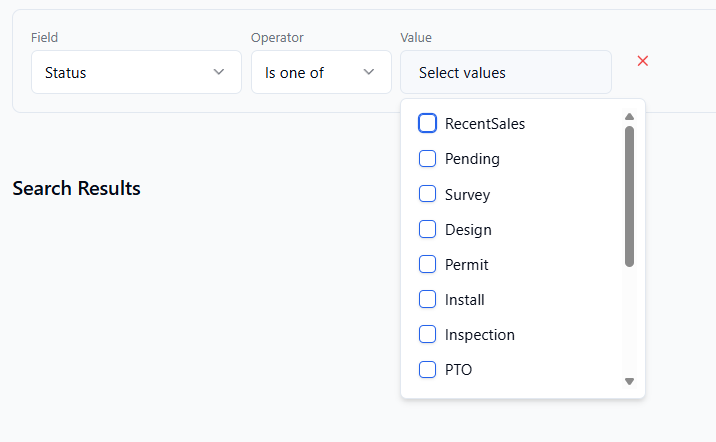
Is one of / Is not one of — pick multiple options from a checkbox list
Is empty / Is not empty — null checks
Yes/No fields
Equals (with a True/False dropdown), plus Is empty / Is not empty.