Tips and Common Patterns
Combining AND, OR, and NOT
The builder evaluates conditions in order. For complex logic, think of it as building a sentence:
▎ "Sales WHERE status equals Active AND sale amount is greater than 20000 NOT on hold equals true"
If results look off, simplify down to one condition, confirm it works, then layer the rest back in.
Searching by partial phone number
Phone fields are normalized — searching 5551234 will match (555) 123-4567. Use Contains to match a fragment anywhere in the number.
Finding records missing data
Use Is empty to find records that need attention — e.g. sales with no contract date, leads with no sales rep assigned, service jobs with no technician.
Date ranges
For "this month," "last quarter," or any window, use the Between operator on a date field and pick the two endpoints.
Searching across related records
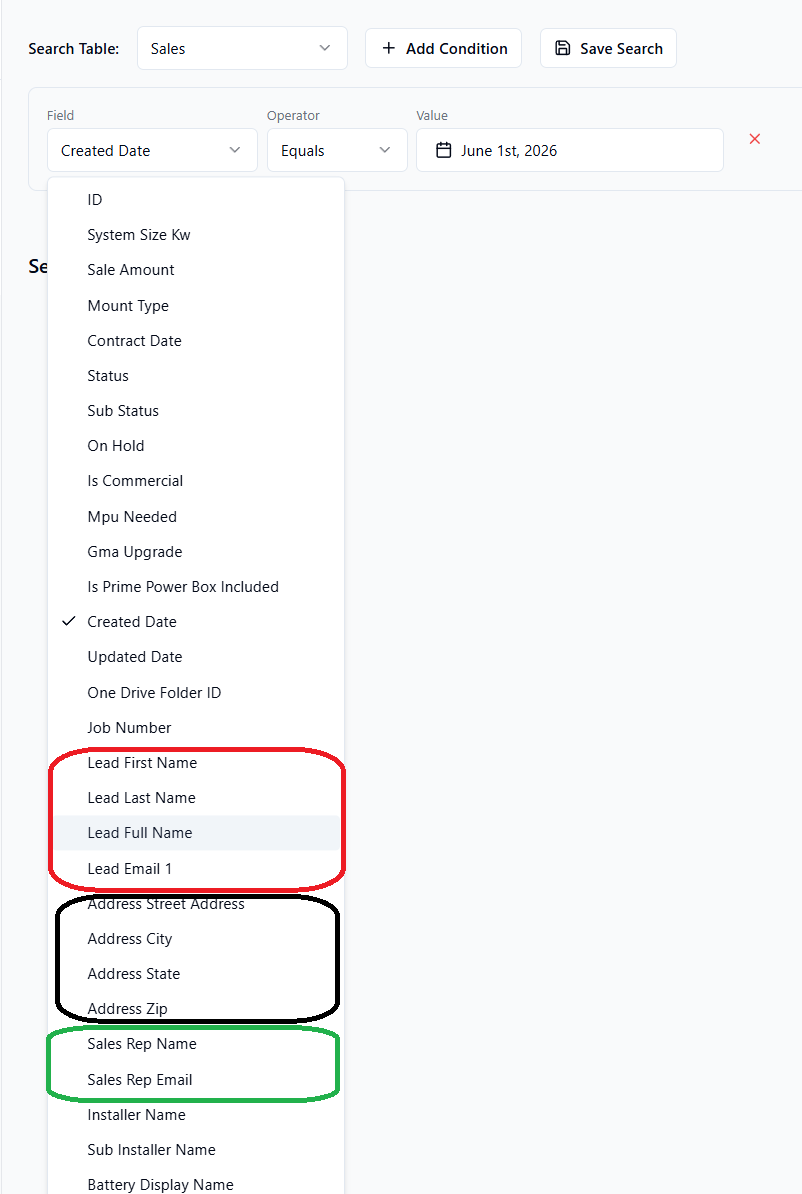
Some fields look up information from related records (e.g. on the Sales table you can filter by the linked Lead's name or the Sales Rep's email). These show up in the field list with a prefix like "Sales Rep: name".
When to save vs. rebuild
Save a search if you'll use it again this week. For one-off questions, just execute and move on — your most recent search is restored automatically the next time you open the page.